PayInRussia: a Simple Way to Pay in Russia
PayInRussia is a practical payment service designed to help international travellers make cashless payments easily and effortlessly throughout Russia. A free balance is issued directly to their phone in just a few minutes, allowing them to top up their account online using their international bank — even before arriving in Russia.
Once topped up, the funds can be used for everyday expenses such as taxis, cafés, restaurants, shopping, museums, hotels, and many other services. PayInRussia supports QR code payments in stores and offline locations, as well as payments online.

+30 Countries
Up to 600.000₽
Pay Anywhere
Install Instantly
About the partner
How PayInRussia works?
Since 2022, international payment methods issued outside Russia have not been accepted for payments within the country, making everyday spending and travel arrangements more challenging for international visitors.
PayInRussia gives travellers access to Russia's domestic payment infrastructure. It is designed to make everyday payments more accessible to visitors, without requiring a Russian bank account.
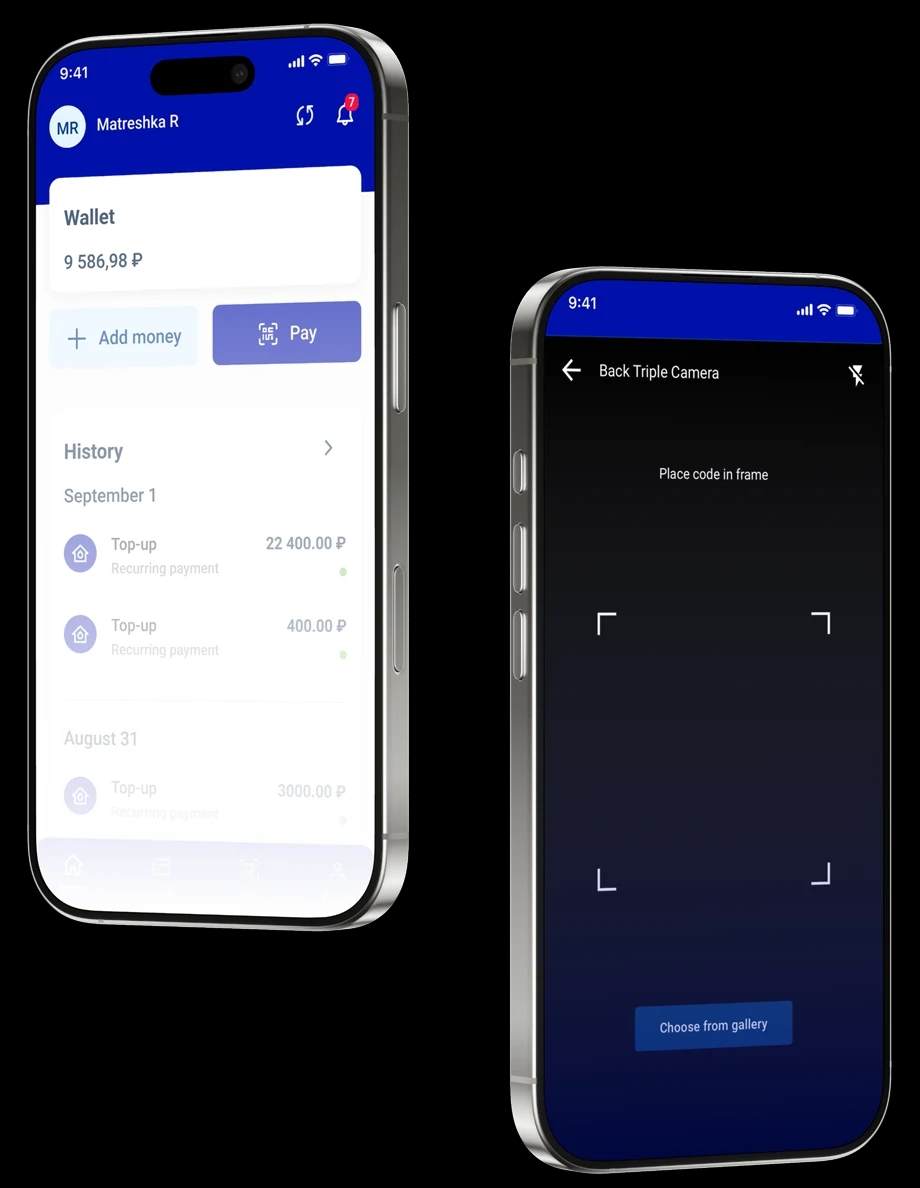
The service can be registered and set up entirely online, from a computer or mobile browser. No visit to a bank or Russian SIM is required to get started. Once registered, travellers can use the mobile app to manage their payments throughout their stay.
The service can also be set up before the trip, allowing travellers to book flights, accommodation, excursions, and other travel arrangements in advance. This gives international visitors a simple and practical way to manage their payments throughout their journey in Russia.


What they offer
How and Where you can use PayInRussia?
Pay by QR Code
Once topped up, the balance can be used for everyday expenses such as cafés, restaurants, shopping, museums, and many other services.
PayInRussia supports QR code payments in stores and offline locations.
Book Online
Travellers can use their balance for online payments, allowing them to book flights, accommodation, excursions, and other travel arrangements even before the trip
Link your Payment Details
Access your payment details in the app and link your balance to taxi, food delivery, booking platforms, and other online services
Expiry Date and Leftover Balance
The unverified prepaid balance is valid for one month, while the verified balance is valid for one year. The account itself does not expire, and a new balance can be issued once the current one expires.
Any remaining funds after the balance expires remain available for 30 days, after which they are lost. We recommend topping up only what you expect to spend during your trip.
Ready Before Your Trip
Travellers can open their account from home, with payment confirmation codes delivered directly to the app.
All they need is the app and an internet connection, whether mobile data or Wi-Fi.
Two Balance Options
Unverified
Available instantly with no documents and is ideal for short trips. The maximum balance is 15,000 ₽, with a monthly spending limit of 40,000 ₽. The balance is valid for 1 month.
Verified
Requires passport verification. It offers significantly higher limits, with a maximum balance of 600,000 ₽ and no fixed monthly spending limit. The balance is valid for 1 year.
Getting started
How to Open a PayInRussia Account?
1. Sign Up in seconds
When you open the website, you'll see a login screen in English. Click “Sign up”.
Enter your phone number (including the country code), first name, surname, and email address, then create a password. Within seconds, you'll see a confirmation message that your registration is complete.
2. Choose Your Balance
The first time you log in, you'll be able to choose between two balance options.
For a short trip, we recommend starting with the unverified one, which is issued within a few minutes and requires no documents. It has a maximum balance of 15,000 rubles and a monthly spending limit of 40,000 rubles.
The verified balance, which requires a passport scan and selfie, offers significantly higher limits of up to 600,000 rubles and additional fraud protection. If you apply for it while already in Russia, you will also need to scan the migration paper provided when entering the country.
3. Install the App on Your Phone
IMPORTANT: Only install the app after you have completed your registration by clicking “Sign up”. Once your account has been created, you can install the app.
The app is essential for using your balance because payment confirmation codes are delivered as notifications inside the app rather than by SMS. This means you don't need a Russian SIM, but you must have the app installed and notifications enabled to confirm payments.
Log in to the app using the email address and password you created during registration.
iPhone: open the site in Safari → Share → «Add to Home Screen».
Android: download the APK from the site.